The new fleet management and tracking page centralizes all trucks on one screen: a live map with filtering by vehicle type, region, and activity status, display of collection routes, detailed activity summary, and playback view from any point in the timeline.
At the bottom of the page, a summary of the selected fleet is displayed, including a detailed truck activity table. By clicking on a truck, detailed information on the chosen day opens: a timeline of driving, shutdown and standing times, collections and disposal points - along with live view and collection table.
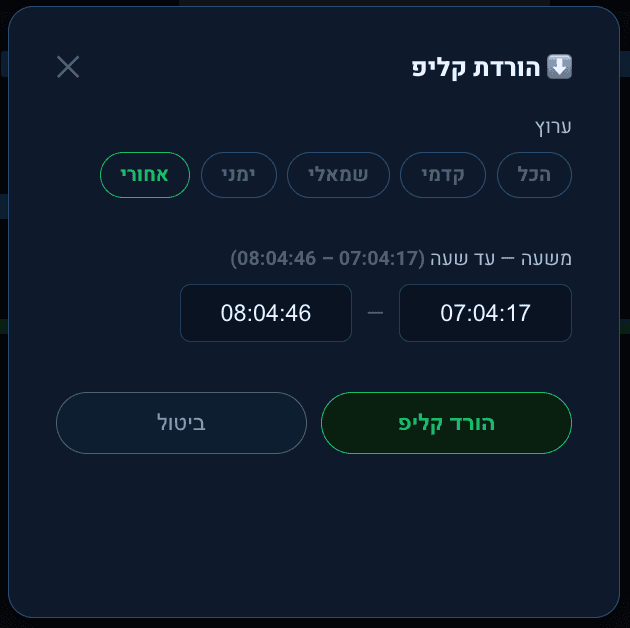
From the timeline, you can open the vehicle recording at the desired time and channel, directly from the collection table or from the map itself. The video can also be downloaded by selecting a time range and multiple channels simultaneously.
Overview
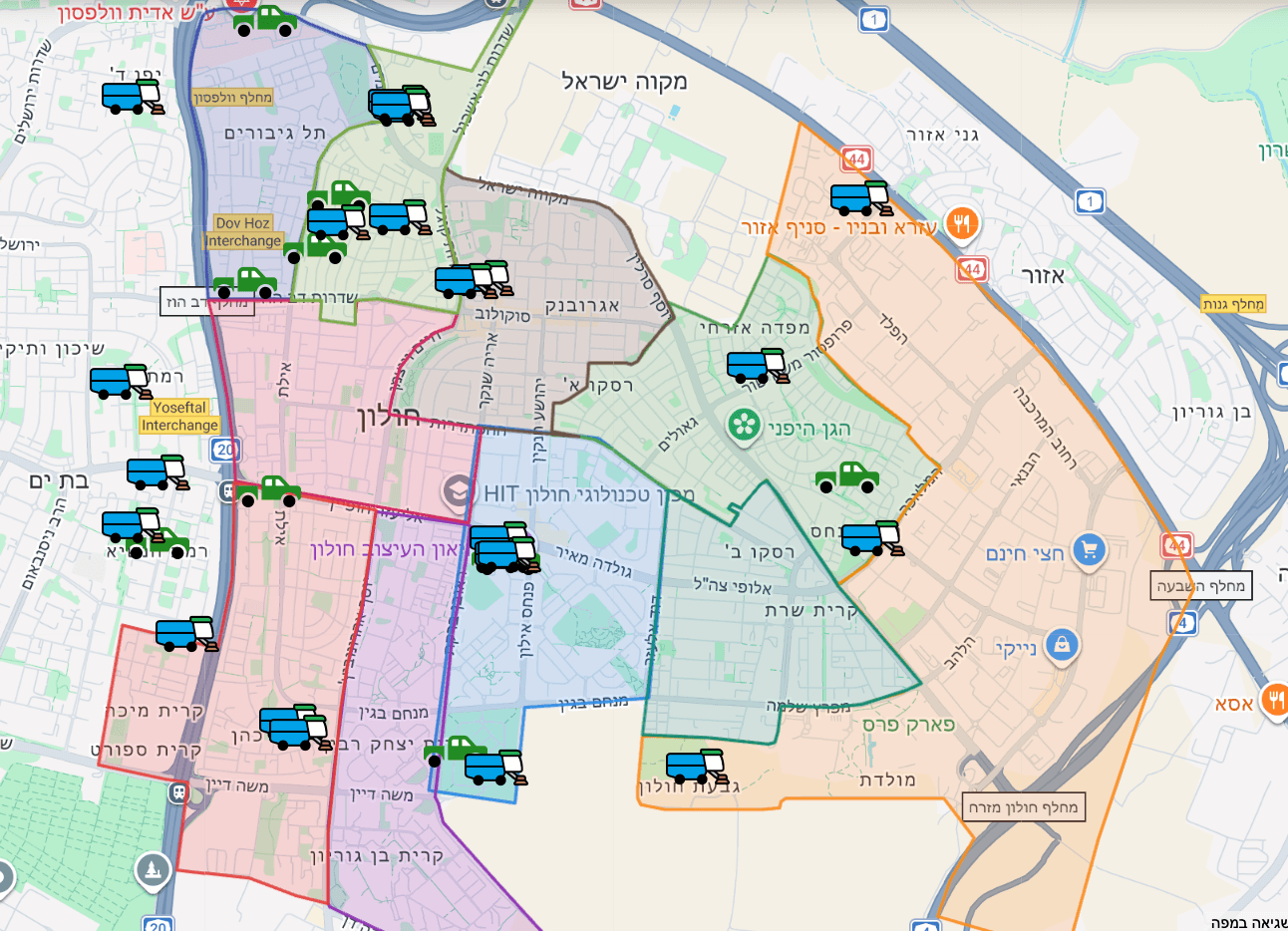
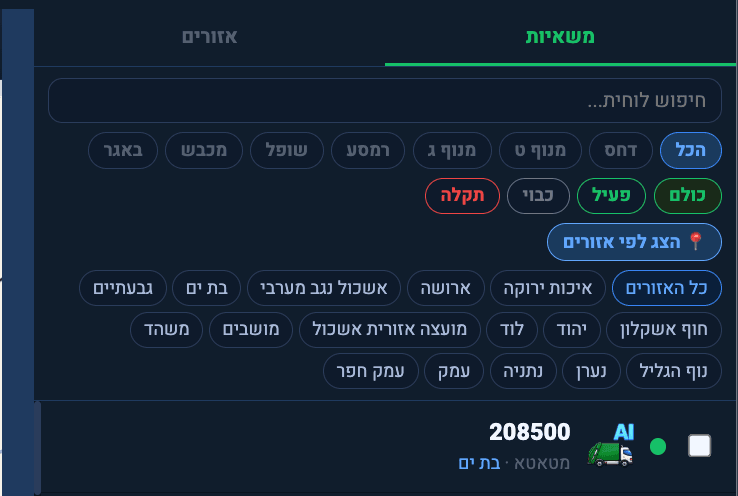
Now you can see all the trucks in one place, with options to filter by vehicle type and by region.
Region Display and Filtering
Displaying region on the map:
Region Display and Filtering
Filter by vehicle type, region, and activity status:
Fleet Activity Summary
At the bottom of the page, a summary of the selected fleet is displayed, centralizing the trucks' activities.
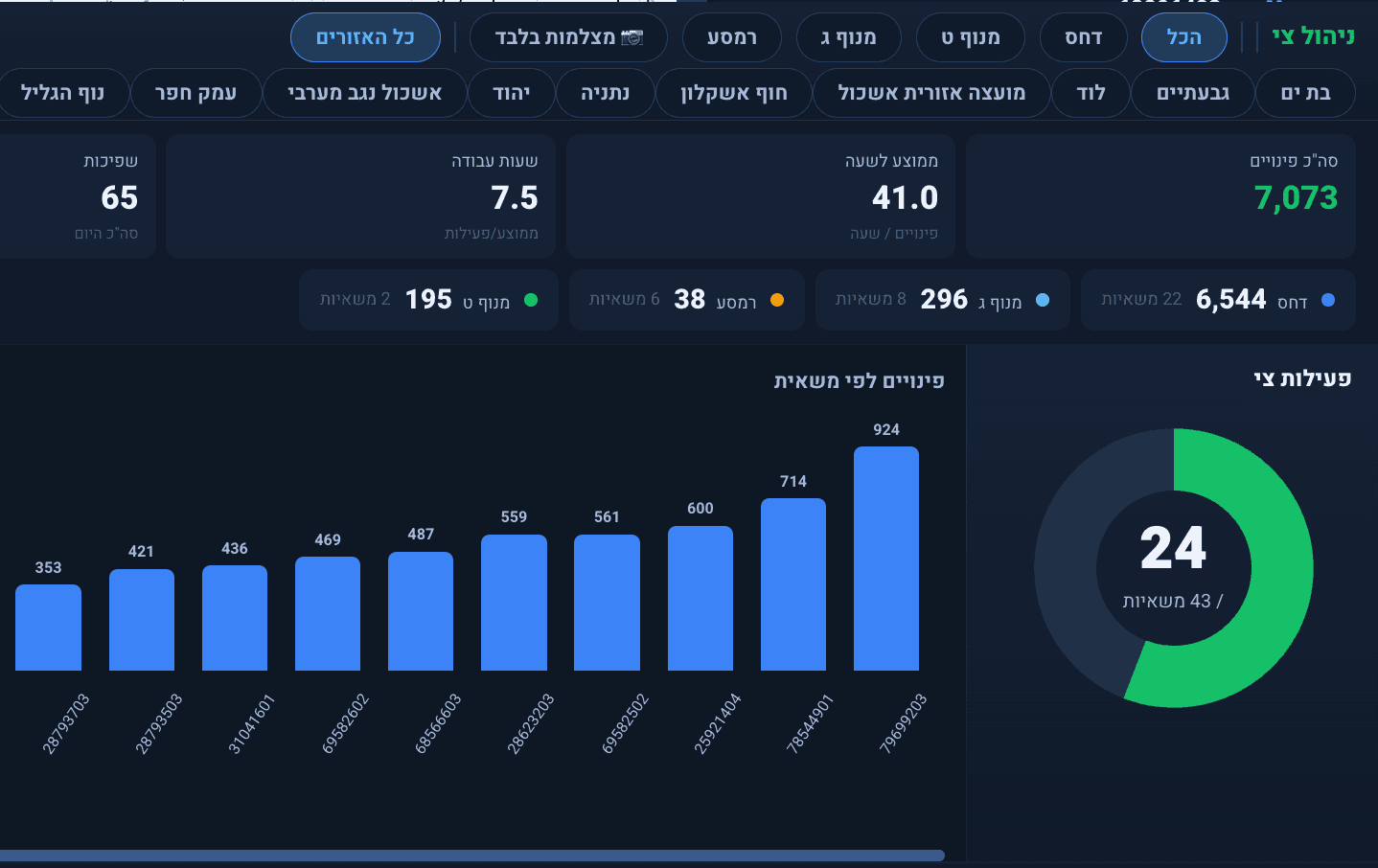
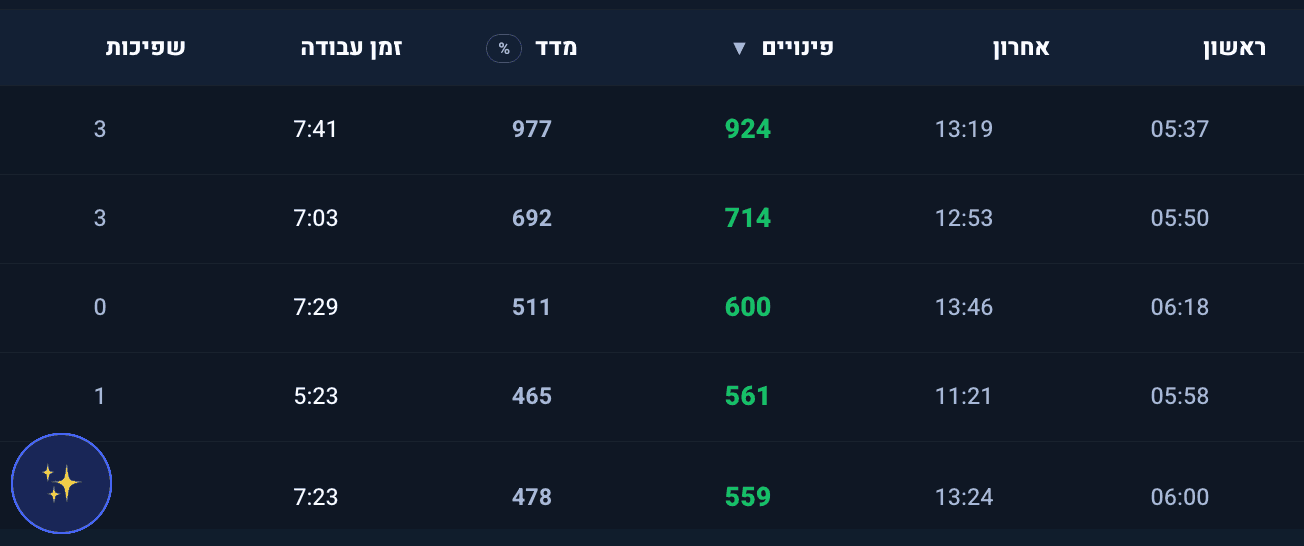
Fleet Activity Summary
The summary also includes a detailed table:
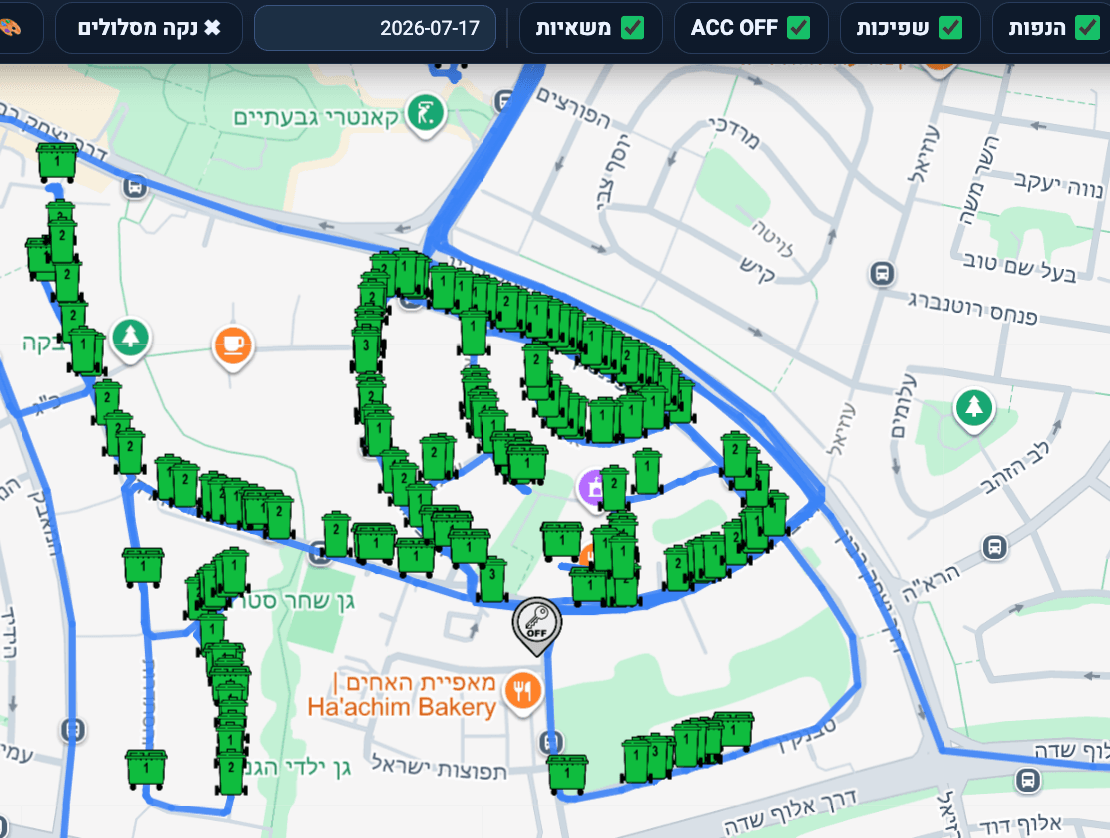
Route Display on Map
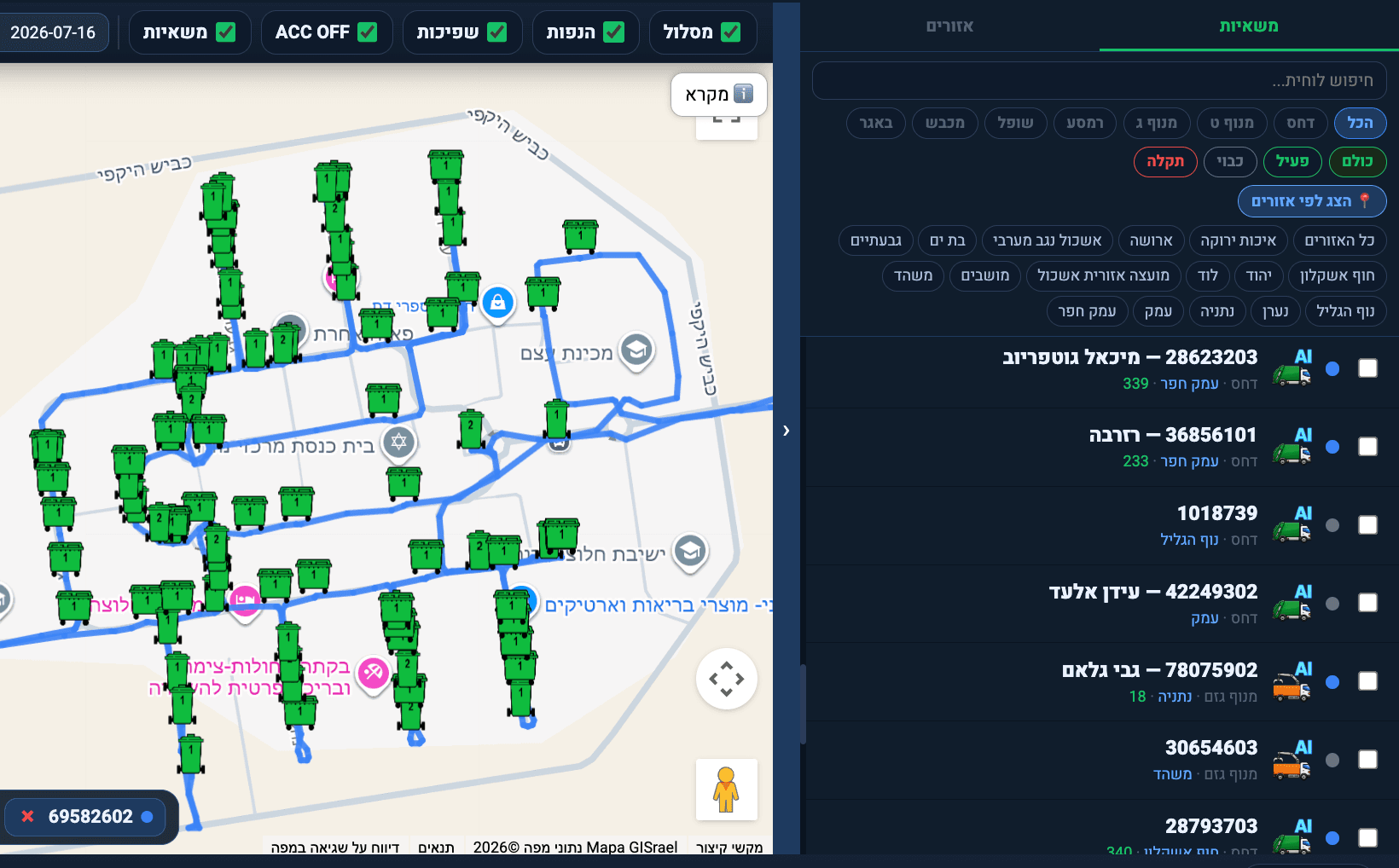
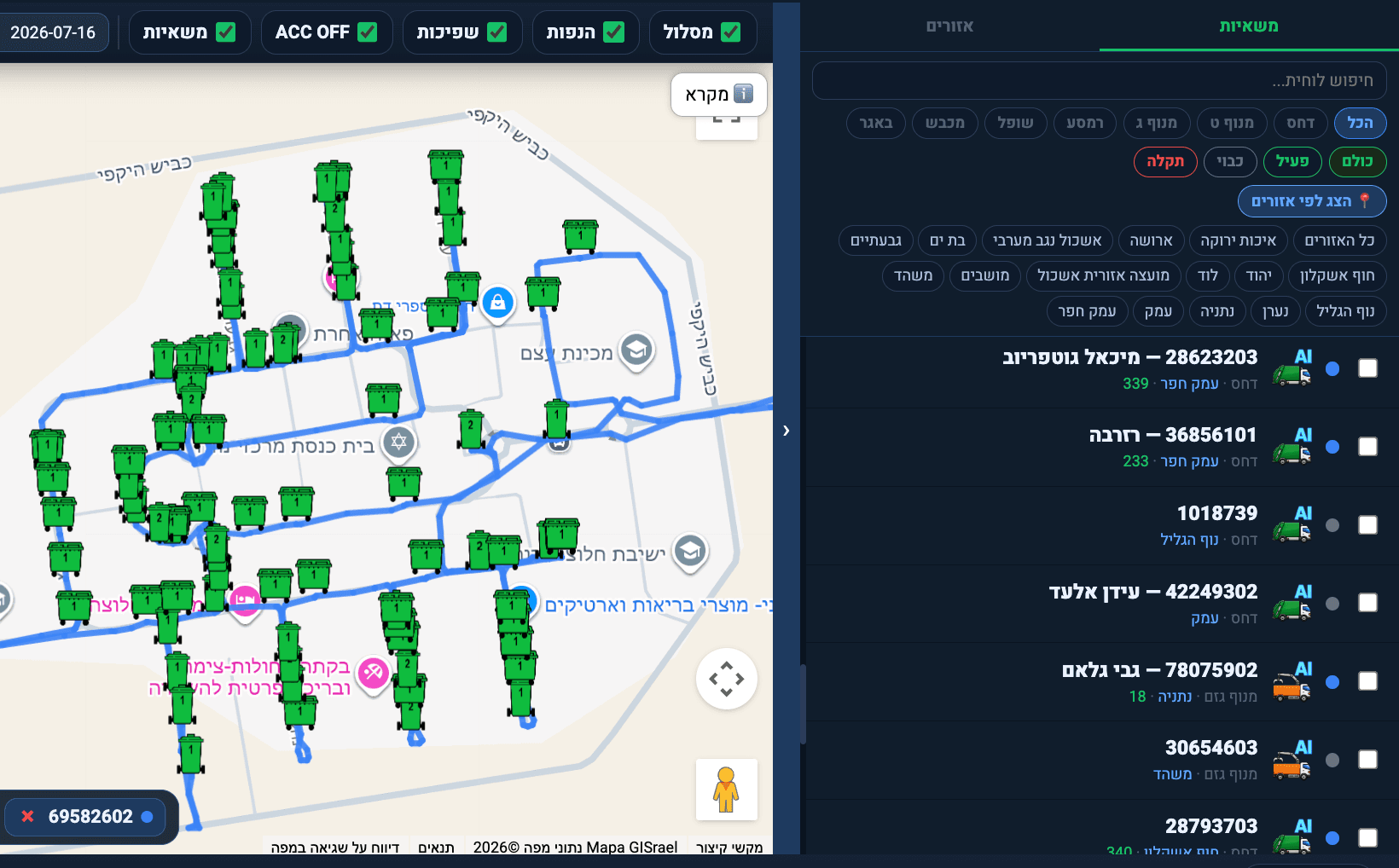
On the map, multiple trucks can be displayed according to their collection routes. You can change the desired date at the top, and remove items you don't want to see using the top menu.
Route Display on Map
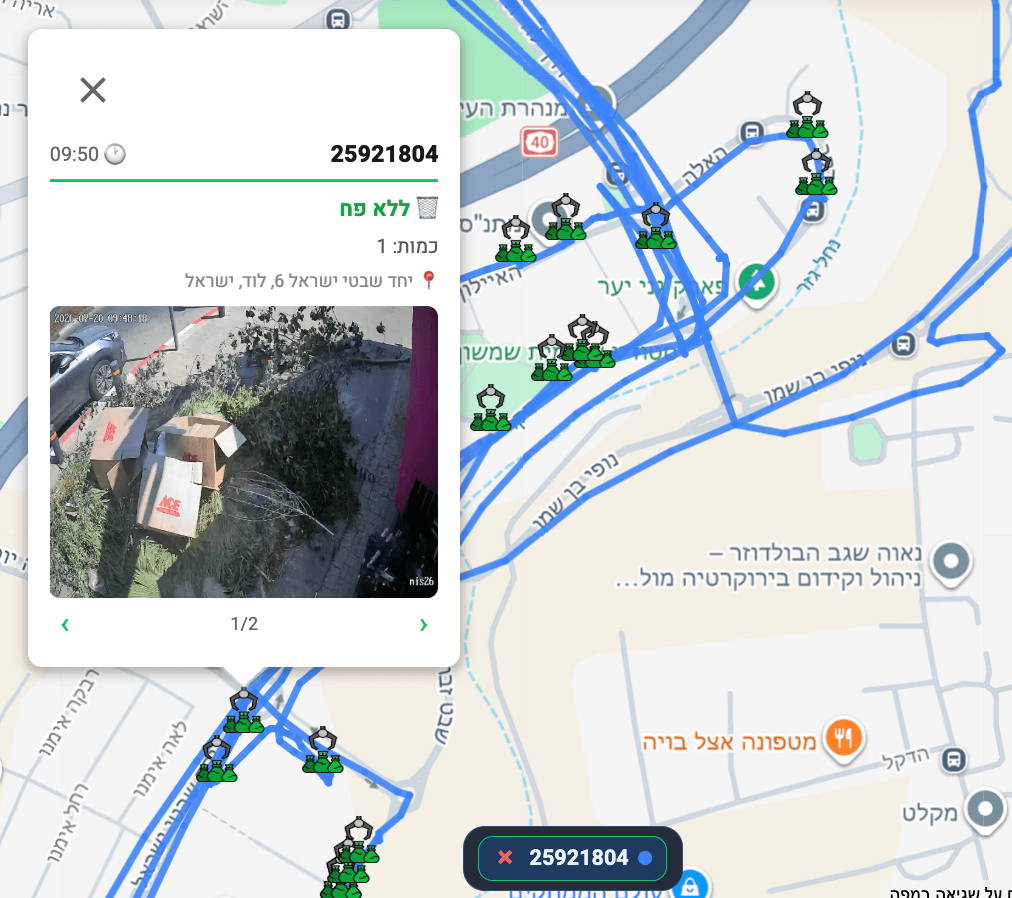
Detailed Information on Single Truck
By clicking on a truck, detailed information about that truck on the chosen day opens at the bottom of the page, including a timeline of activity: driving, shutdown times, standing times, collections, and disposal points - as well as live view of the truck and collection table.
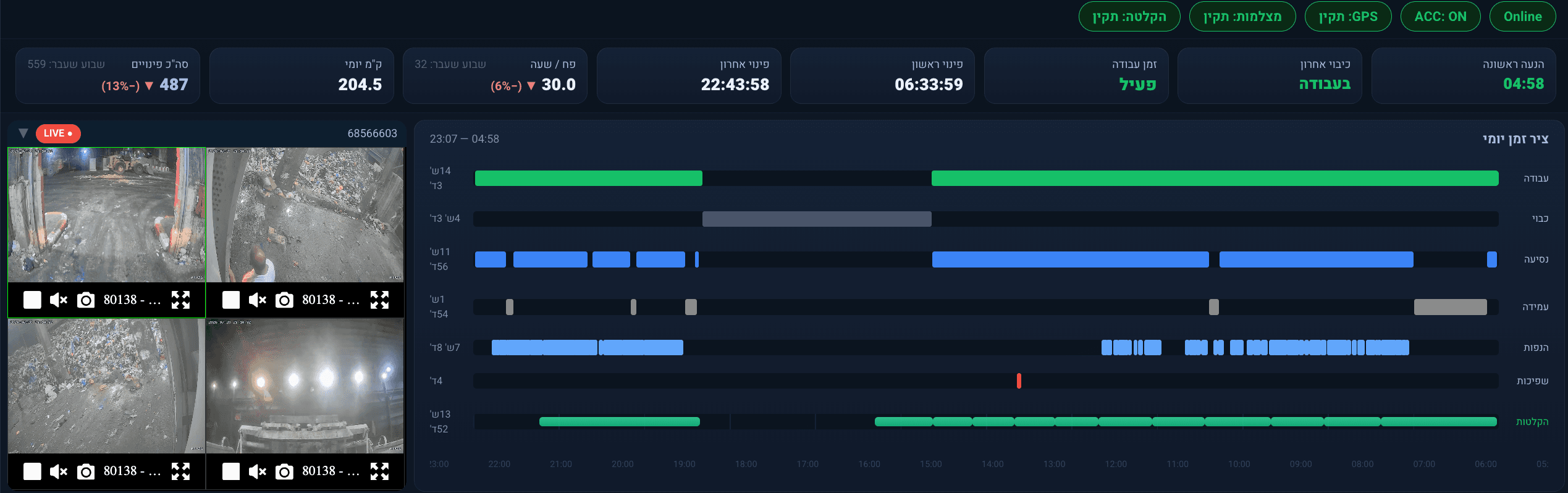
Playback View from Timeline
By clicking on the recordings line in the timeline, the recording of the vehicle at the desired time and date opens, in the selected channel. You can also open the video directly from the collection table or by clicking on the map itself! The action opens the collection recording with the relevant channels.
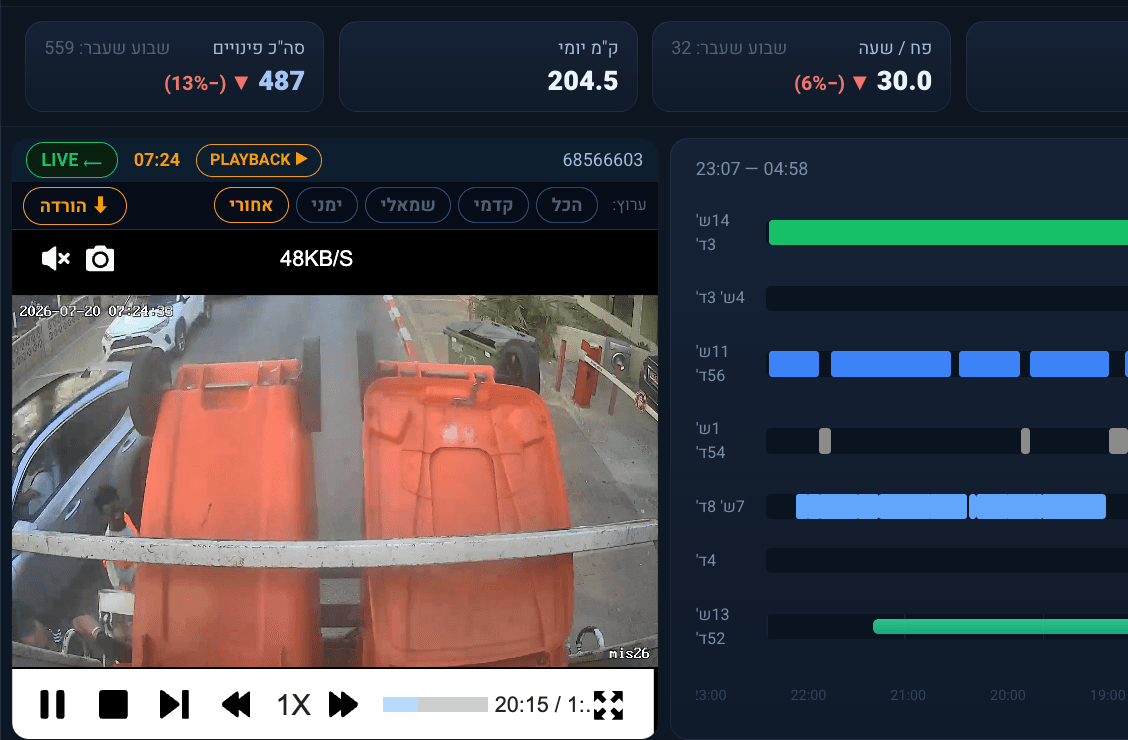
Playback View from Timeline
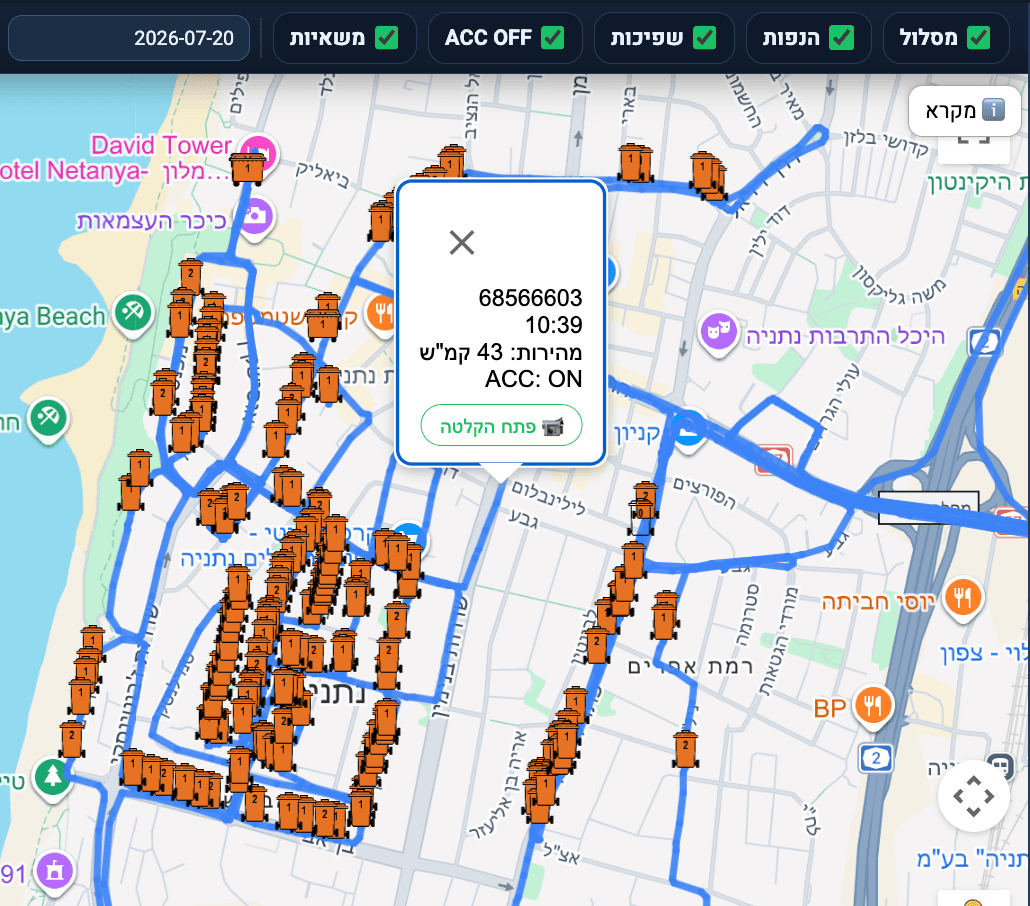
Download Video Clips
You can download the desired video by clicking on the download button above the video window. The action opens a window to select the desired time range to download, and you can choose multiple channels at once.