
Every fleet manager knows the ritual: one screen for the fleet-management system's locations and mileage, a second for the camera system, a third spreadsheet for reports - and one head that has to stitch it all together. Whenever you need to understand what really happened on a collection, a delivery or a safety event, the window-hopping begins: manually cross-referencing times against locations against video.
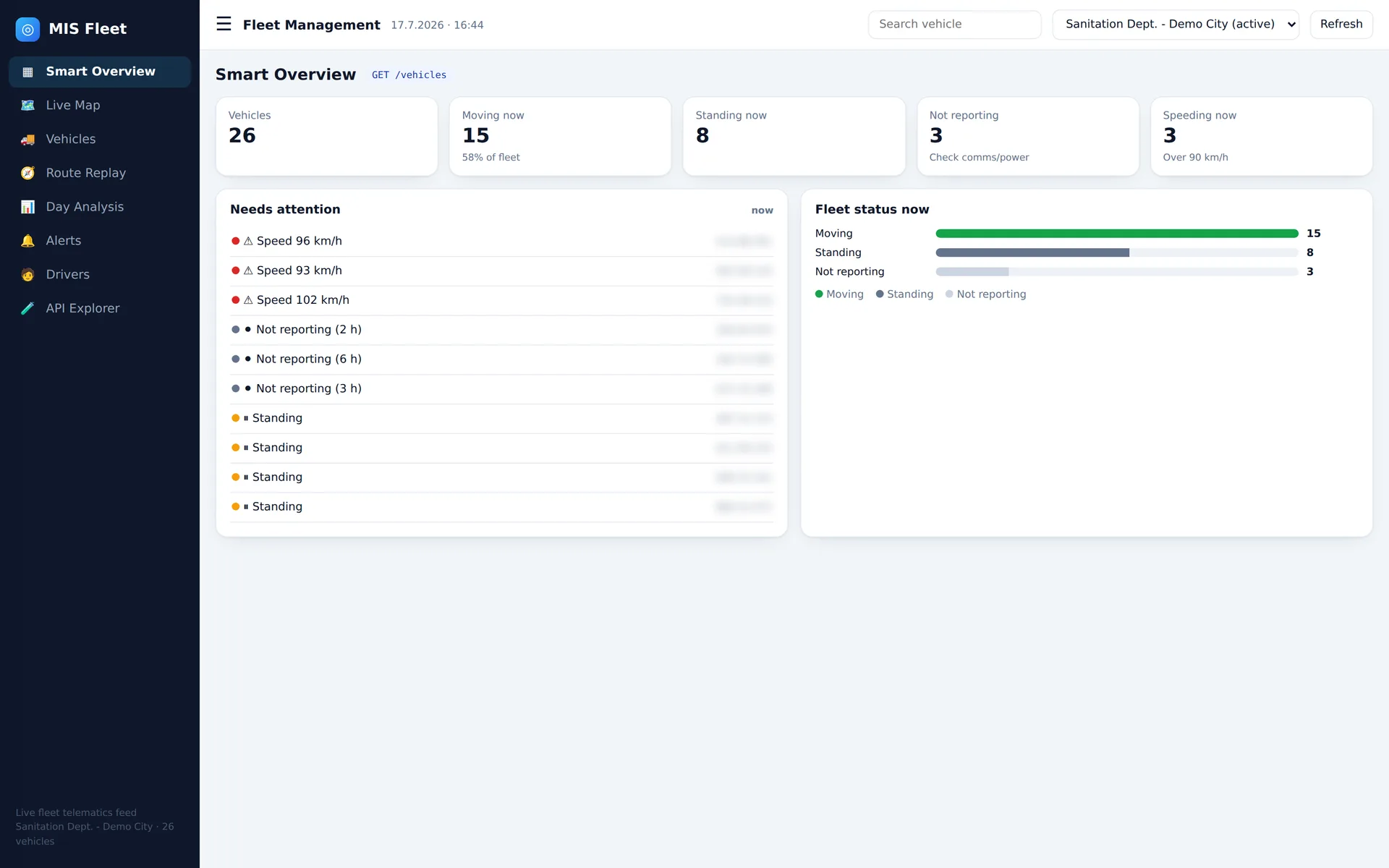
The new MIS26 update closes that gap: your fleet-management system's complete telematics - locations, routes, mileage, engine hours, periodic reports - flows straight into the MIS26 platform and lives next to the video, the sensors and the AI insights. One screen, one account, one truth.
The live overview shows at any moment how many vehicles are moving, standing or not reporting - and who is exceeding the speed limit right now. A vehicle standing beyond a reasonable time, or one that dropped off the network, jumps into the "needs attention" list before anyone has to call and ask where the truck is.
Smart data cuts - not another Excel export
The point is not just that the data sits in one place - it is what you can do with it there. The system offers smart cuts of the fleet-management data: slicing by vehicle type, area, collection route or project; crossing mileage against lift and unload events from the sensors; comparing the work plan against actual execution; and flagging anomalies - unplanned stops, route deviations, off-hours vehicle use - with the video of that exact moment, one click away.
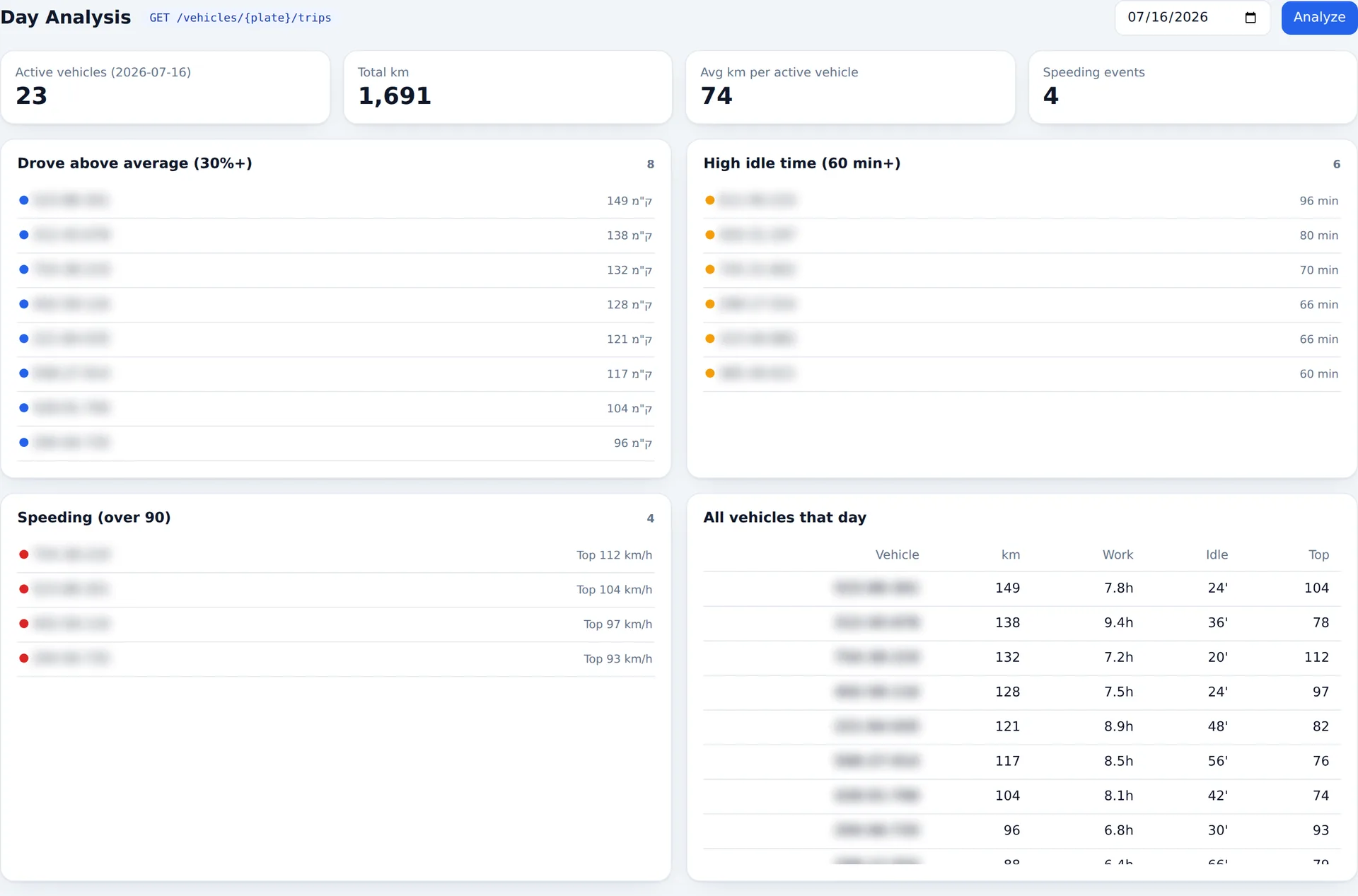
The workday analysis answers the questions a fleet manager asks every morning: which vehicles logged the most and the fewest work hours, who idled for over an hour, who was speeding and who drove far above the fleet average - all computed automatically from the trip data, no Excel and no manual work.
Works on every truck type
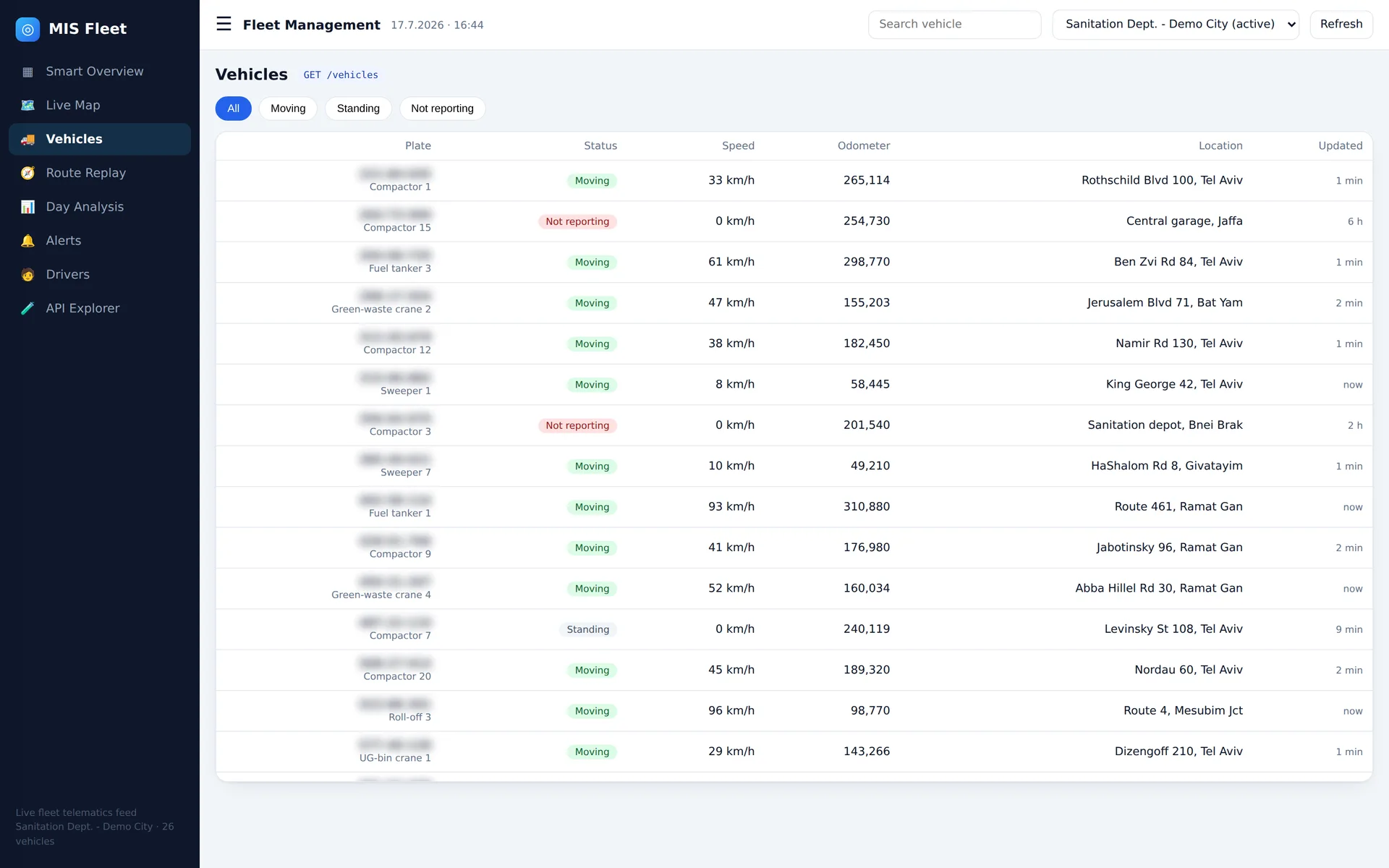
Roll-off, pruning crane, compactor, sweeper, sewer truck, underground-bin crane, fuel tanker or freight truck - if the vehicle reports to your fleet-management system, its data lives inside MIS26 next to the rest of the documentation array. A mixed fleet with dozens of vehicle types gets a single picture, regardless of category, with no separate system per truck type.
Why it matters on the bottom line
Fewer systems is not just convenience - it is money and time: settlement with contractors and customers based on cross-referenced data instead of arguments; incident investigation in minutes instead of hours, because the trip, the sensor and the video are already synchronized; fewer trainings and permission sets to manage; and one answer to every operational question - no "hold on, let me check the other system". That is the one-stop shop we mean when we say MAKE IT SIMPLE.
The connection requires no hardware replacement - the system connects to your existing fleet-management data, whatever the provider. Book a short call and we will show it live on your own fleet.
Contact Us
Contact usRelated articles
Contamination and overload detection - at the moment of the lift, with no bin sensors
One trash bag in the recycling bin taints a whole load. An overflowing commercial container grinds down equipment and budget. How on-truck AI cameras turn every lift into a quality check - with an address, evidence and an action plan.
AI agents for fleets: what they actually do, and why it is worth money
Everyone says AI. What an AI agent actually is on a truck fleet - what goes in, what comes out, and where the money is: control, settlement, minutes-long investigations and driver protection.
Cameras on waste trucks: the complete guide for municipalities and contractors
What gets filmed, what the AI detects, why it pays for the contractor too - and what to ask a vendor before installing. A working guide, not a marketing page.